> ## Documentation Index
> Fetch the complete documentation index at: https://hellocsv.mintlify.site/llms.txt
> Use this file to discover all available pages before exploring further.
# Multiple Sheets
## Multiple Sheets
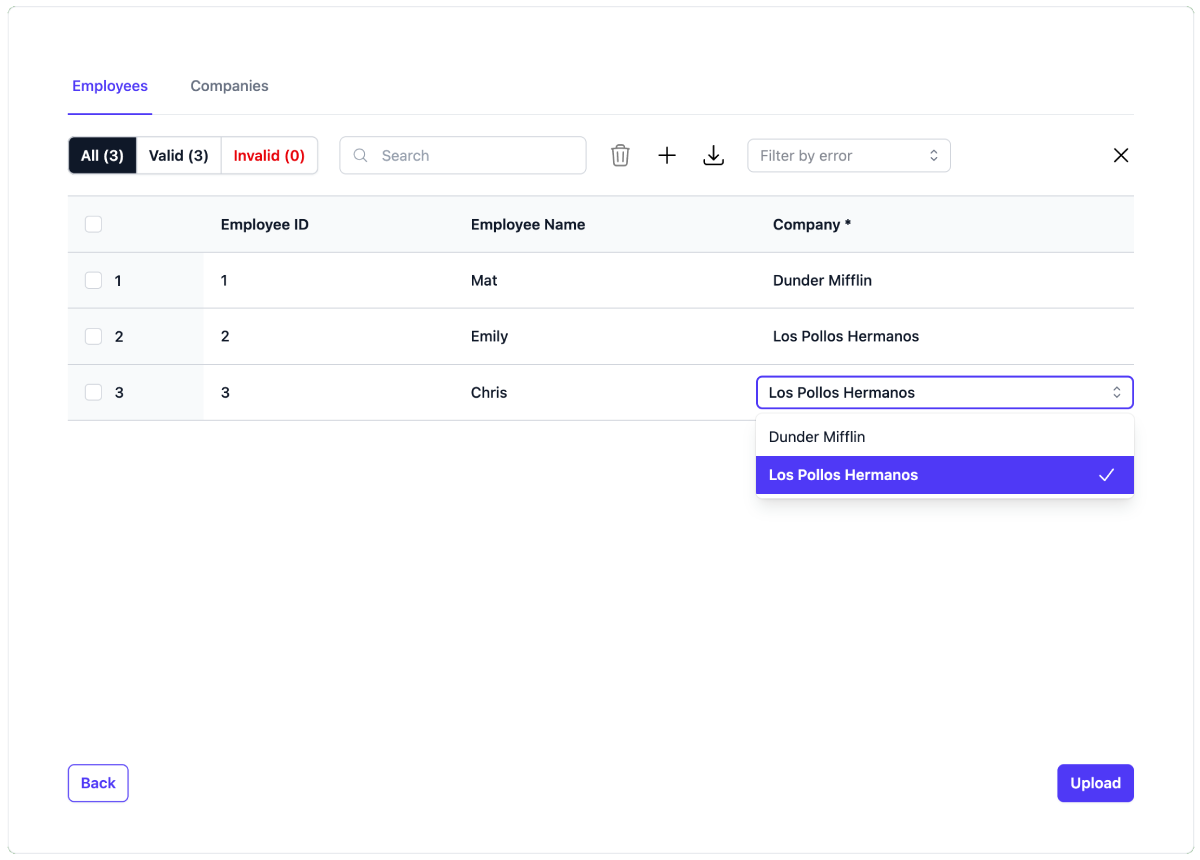
Often you'll want to import data that actually implicitly has multiple data schemas within it. For example, consider importing a CSV of employees working across multiple companies.
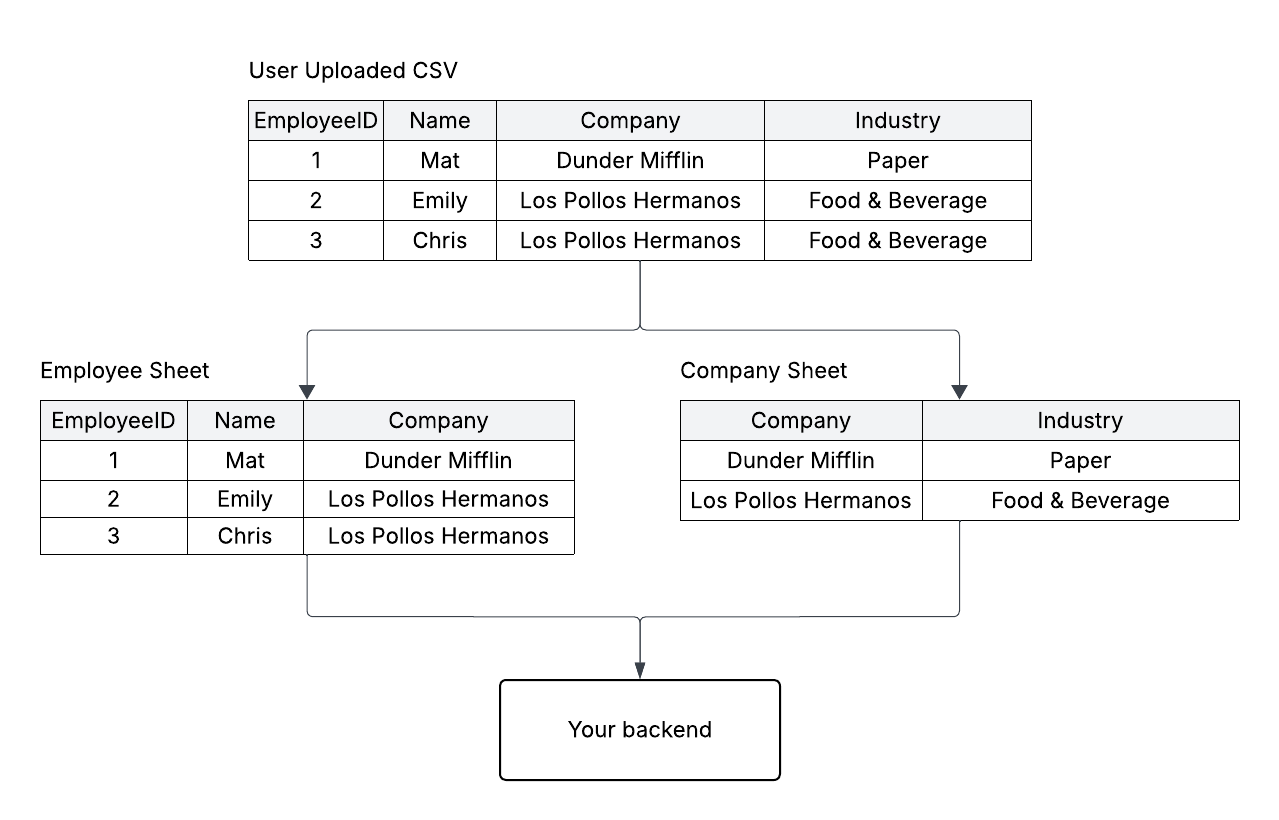 In the above example, the company fields are actually duplicated for both Emily and Chris.
In this case, you'd most likely have a database table called `employees` and another one called `companies`, so this import should create **3 users** but only **2 companies**.
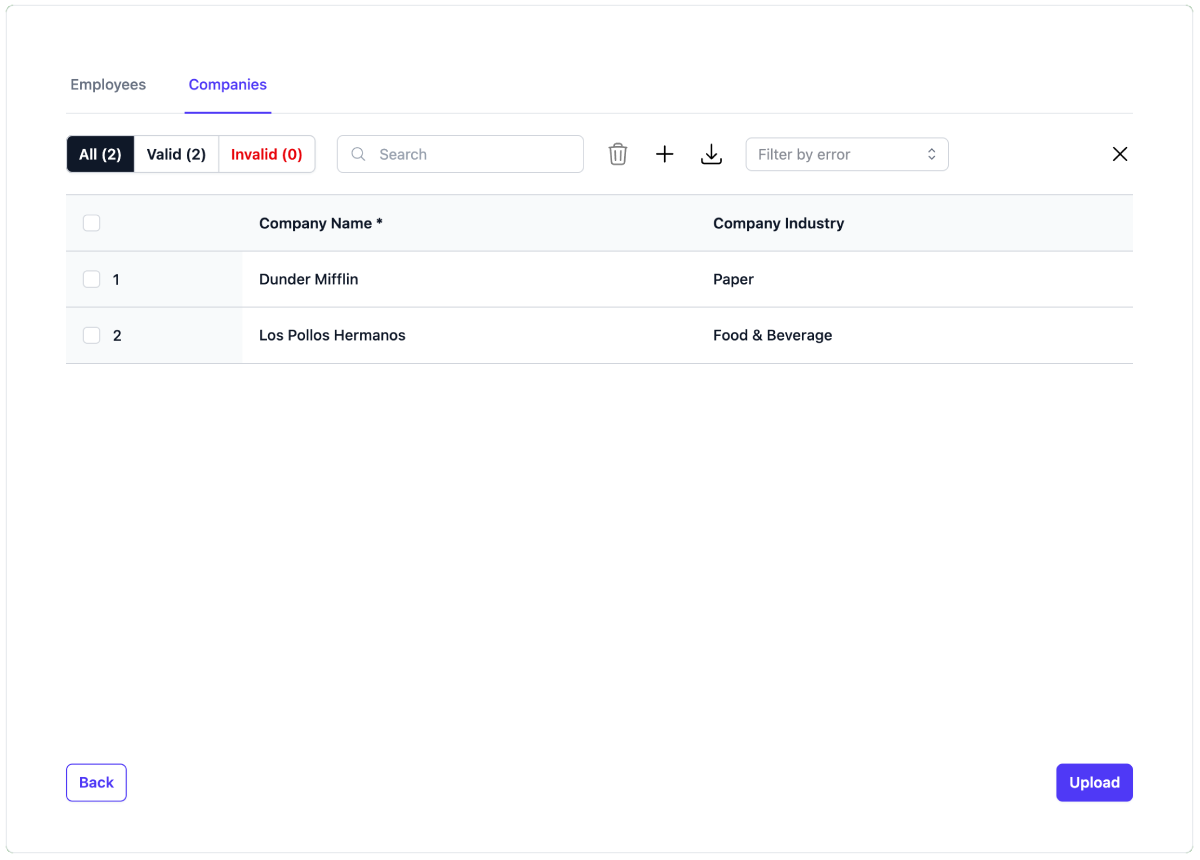
HelloCSV allows you to split the `employee` data and `company` data into separate sheets on the frontend, before the upload, to give the user a chance to review the upload and make edits.
Here is an example HelloCSV definition for the data above:
```tsx theme={null}
{
// Filter companies down to only unique names
const sheet = sheets.find((sheet: any) => sheet.sheetId === 'companies')!;
const seen = new Set();
sheet.rows = [...sheet.rows].filter((row: SheetRow) => {
// Remove duplicate companies
const hasSeen = !seen.has(row.name);
seen.add(row.name);
return hasSeen;
});
return sheets;
}}
onComplete={async (data) => {
const employees = data.sheetData.find((s: any) => s.id === 'employees');
const companies = data.sheetData.find((s: any) => s.id === 'companies');
console.log(employees);
// [{id: 1, name: "Mat", company: "Dunder Mifflin"}, {id: 2, name: "Emily", company: "Los Pollos Hermanos"}, {id: 3, name: "Chris", company: "Los Pollos Hermanos"}]
console.log(companies);
// [{name: "Dunder Mifflin", industry: "Paper"}, {name: "Los Pollos Hermanos", industry: "Food & Beverage"}]
}}
/>
```
### Screenshots
**Preview**
In the above example, the company fields are actually duplicated for both Emily and Chris.
In this case, you'd most likely have a database table called `employees` and another one called `companies`, so this import should create **3 users** but only **2 companies**.
HelloCSV allows you to split the `employee` data and `company` data into separate sheets on the frontend, before the upload, to give the user a chance to review the upload and make edits.
Here is an example HelloCSV definition for the data above:
```tsx theme={null}
{
// Filter companies down to only unique names
const sheet = sheets.find((sheet: any) => sheet.sheetId === 'companies')!;
const seen = new Set();
sheet.rows = [...sheet.rows].filter((row: SheetRow) => {
// Remove duplicate companies
const hasSeen = !seen.has(row.name);
seen.add(row.name);
return hasSeen;
});
return sheets;
}}
onComplete={async (data) => {
const employees = data.sheetData.find((s: any) => s.id === 'employees');
const companies = data.sheetData.find((s: any) => s.id === 'companies');
console.log(employees);
// [{id: 1, name: "Mat", company: "Dunder Mifflin"}, {id: 2, name: "Emily", company: "Los Pollos Hermanos"}, {id: 3, name: "Chris", company: "Los Pollos Hermanos"}]
console.log(companies);
// [{name: "Dunder Mifflin", industry: "Paper"}, {name: "Los Pollos Hermanos", industry: "Food & Beverage"}]
}}
/>
```
### Screenshots
**Preview**
 **Mapping**
 **Employees Sheet**
 **Companies Sheet**